
Everything about your subscription lives in one place: Plans & Billing, under Settings. It shows what you're on, what you've used this month, and what's available.
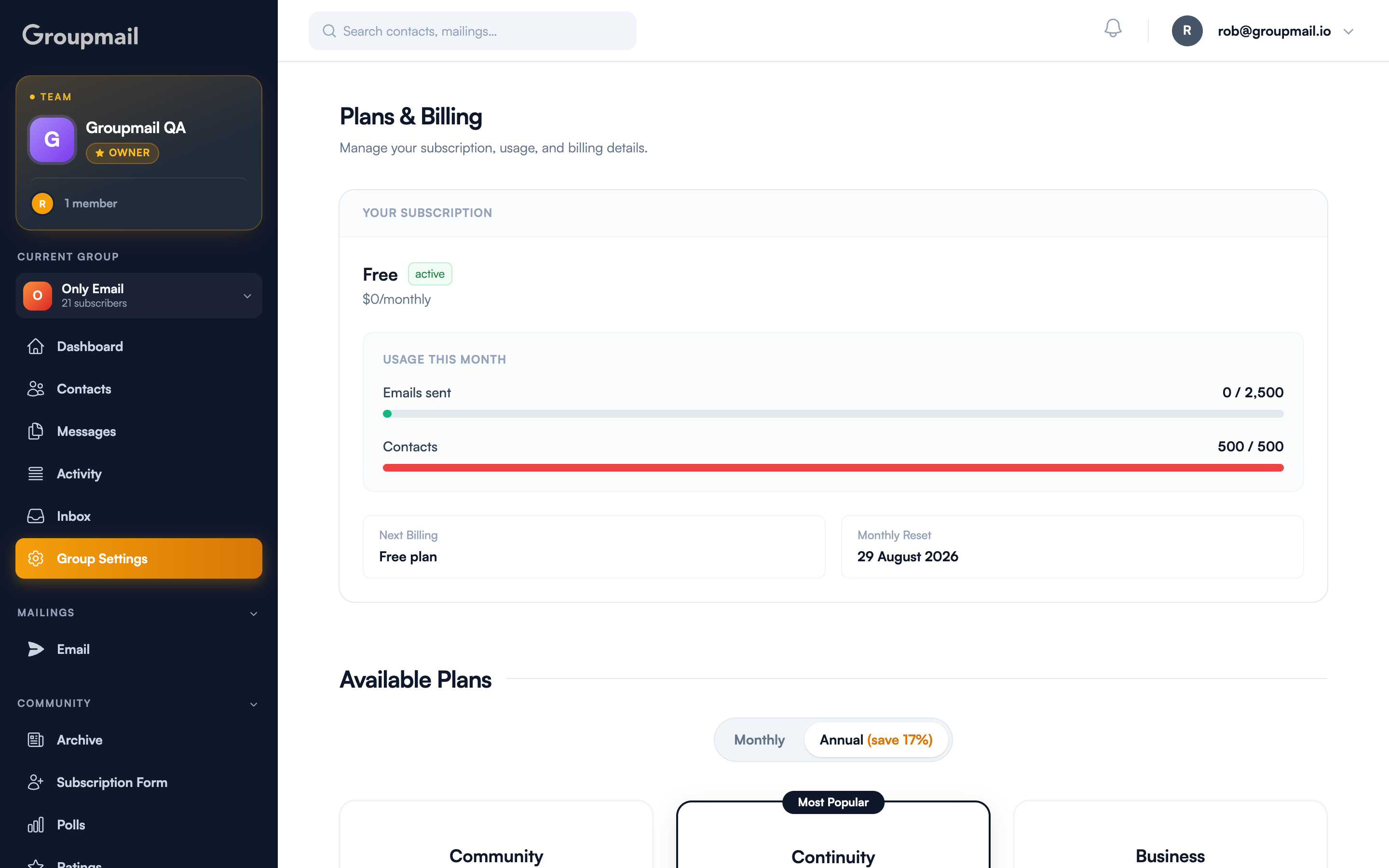
Reading your usage
Usage this month tracks you against two separate caps:
- Emails sent — how many you've sent in the current period
- Contacts — how many you're storing
Each has its own bar, and the bar turns red when you hit the cap. Those are the actual numbers for your plan, which is why it's worth reading here rather than from a pricing table.
Monthly Reset tells you the date your send count returns to zero. Next Billing shows when you'll next be charged, or "Free plan" if you're not.
Are contacts unlimited?
On every plan currently available — Community, Continuity and Business — yes. Contacts are unlimited, and the only monthly cap is on emails sent. The 500-contact limit belongs to the Free plan.
So if you're growing a list on a current paid plan, list size isn't what you need to watch. Sends are.
Two kinds of limit
Worth understanding, because they behave differently:
- Sends are per period, and reset on the date shown. Running out means waiting for the reset or moving up a plan.
- Contacts, where a cap applies, are a standing total. It doesn't reset — you're at the cap until you remove contacts or change plan.
If you're at a contact cap, Managing Your Contact List covers clearing out addresses you no longer need.
Changing plan
Available Plans lists what you can move to, with a Monthly / Annual toggle — annual is discounted, and the saving is shown on the toggle itself.
Pick a plan and confirm. Upgrades apply immediately, so your new caps take effect straight away.
Plans and Teams
If you're on Teams, your plan covers a number of seats, and contacts, groups and storage are pooled across all active members rather than allocated per person. Your team page shows seat usage. See Groupmail Teams for how sharing works.
Billing follows the account that owns the team, not the individual member. If you're a team member and see limits you didn't expect, they're coming from the owner's plan.
Quick answers
Where do I check my usage? Settings → Plans & Billing. It shows emails sent and contacts stored against your plan's caps.
When does my send count reset? On the date shown under Monthly Reset.
Are contacts unlimited? On all current plans — Community, Continuity and Business — yes. Free is capped at 500. Some older, no-longer-sold plans did cap contacts, so check Usage this month for what applies to you.
What happens if I hit a contact cap? You can't add more contacts, but you can still send to the ones you have. Remove contacts or change plan.
Is annual cheaper? Yes — the Monthly / Annual toggle on Available Plans shows the current saving.
When does an upgrade take effect? Immediately, along with the new limits.
Who pays on a Teams plan? The account that owns the team. Members draw on the owner's pooled limits rather than having their own.