
Tasks are follow-ups tied to people in your pipeline. Not a general to-do list — each one hangs off the contact it concerns, so the reminder arrives with the context attached.
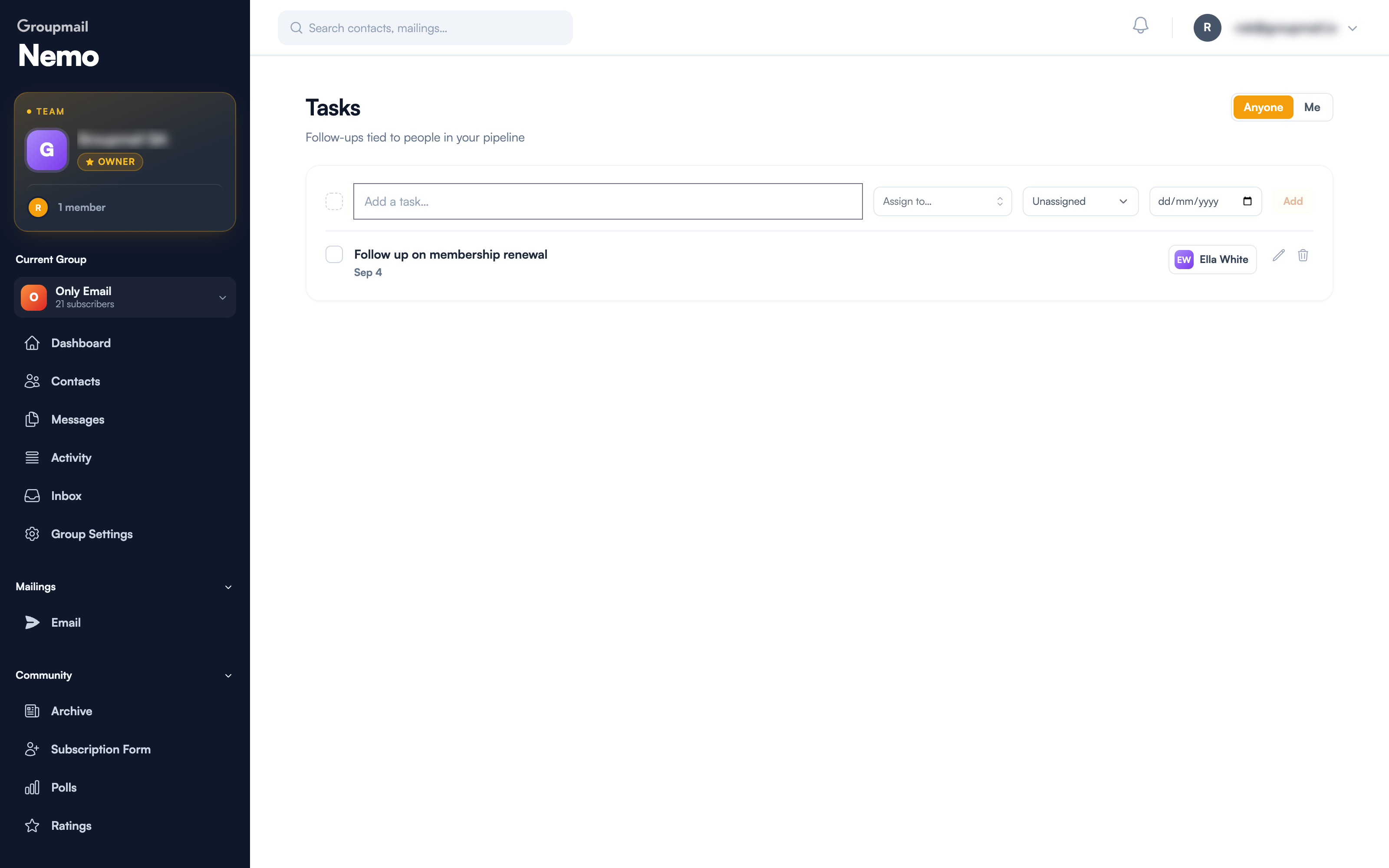
Adding a task
The row at the top of the page takes four things:
- What needs doing — "Follow up on membership renewal"
- Assign to — the contact it's about
- Owner — which person on your team is responsible, or leave it Unassigned
- Due date
Then Add. The task appears below, showing its due date and a chip for the linked contact.
Tick the checkbox when it's done. The pencil edits, the bin deletes.
Anyone vs Me
The Anyone / Me toggle at the top right switches between every task on the account and just the ones assigned to you. On a Teams plan that's the difference between the team's workload and your own.
Leaving tasks Unassigned is fine when you work alone. On a team it's how things get quietly dropped — everyone assumes it belongs to someone else.
Where tasks show up
Tasks aren't confined to this page:
- CRM → Overview has a Tasks due count in the headline numbers and a panel listing what's outstanding, with View all back to the full list
- Completing tasks feeds the Recent activity trail alongside stage changes and notes
So the overview answers both "how's the pipeline looking?" and "what have I not done?" in one screen.
Getting value from them
A few habits that make the difference:
- Write the next action, not the topic. "Send Maeve the launch dates" beats "Maeve".
- Always set a due date. An undated task is a note, and it'll sit there.
- Create the task while you're on the board. The moment you advance someone is when you know what happens next.
Quick answers
Where do I find tasks? CRM → Tasks. A summary also appears on CRM → Overview.
Can a task exist without a contact? Tasks are designed as follow-ups tied to people in your pipeline — assign the contact so the task carries its context.
How do I see only my tasks? The Anyone / Me toggle at the top right.
Can I assign a task to a colleague? Yes, using the owner selector — most useful on a Teams plan where the pipeline is shared.
How do I complete a task? Tick its checkbox. It feeds into the Recent activity trail on the overview.
Do tasks send reminder emails to the contact? No. Tasks are internal — a note to you and your team. To email the contact, send from the pipeline or compose a campaign.